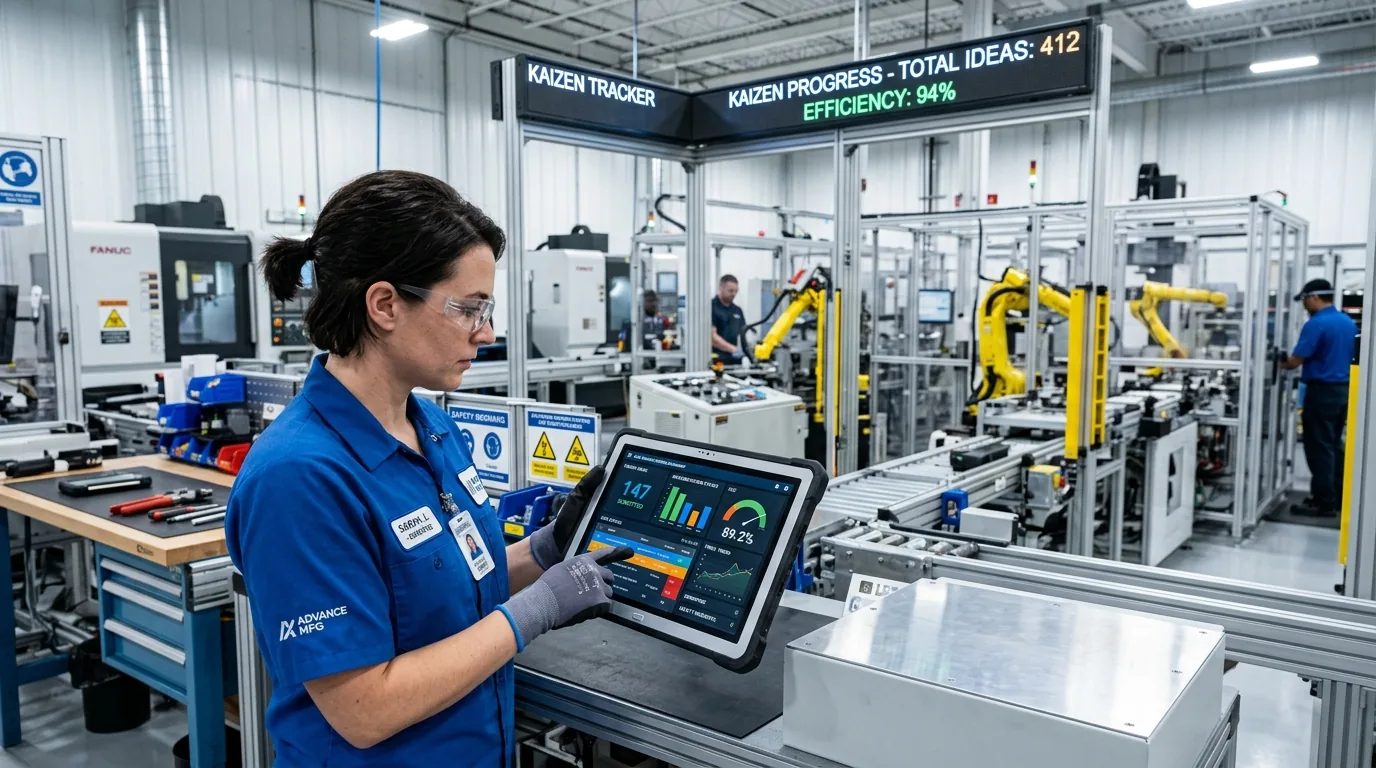
Every small improvement,
tracked from idea to impact.

Kaizen Management System replaces paper forms and scattered spreadsheets with one workflow: submit a kaizen, route it for approval, notify the owner, and report on it — from the shop floor or from your pocket.

Available on
Web Portal Android iOS
KMS · Kaizen Dashboard
Submitted 0 This month
Approved 0 73% approval rate
Pending 0 Awaiting review
Rejected 0 10% of total
Kaizen status split
  • Approved
  • Pending
  • Rejected
Kaizens by department
Assembly
Quality
Safety
Logistics
Tooling
Live activityLive
  • Kaizen #KZ-2291 approved by Admin — notification sent to submitter
  • New kaizen #KZ-2292 submitted from Assembly Line 3
  • Kaizen #KZ-2287 rejected — reason shared with submitter
Illustrative dashboard view
Deployed by Haldex India Multiple plant locations across India

Product overview

One system for the whole kaizen lifecycle

Kaizen — the Japanese practice of continuous, incremental improvement — only works if every idea from the floor gets captured, reviewed and closed the loop on. KMS is built to do exactly that, end to end, on whatever device your team already carries.

01 Instant Capture

1. Capture

Any user submits a kaizen from the mobile app or web portal in minutes, attaching a before photo and a short description of the problem.

Photo Attached
02 Admin Review

2. Review

Admins see every submission in one consolidated queue, approve or reject with a reason, and status updates live across all connected devices.

Approved in 1-Click
03 Instant Alerts

3. Notify

The submitter is notified the moment a status changes — no chasing supervisors or manually checking shared spreadsheets.

Push Notification Sent
04 Auditable Output

4. Report

KPIs, interactive charts, and auditable PDF/Excel reports are always one click away, for a single kaizen or the whole plant.

Excel / PDF Export

Why plants move off paper

Kaizen registers break down at scale

Paper forms and standalone spreadsheets work for a handful of kaizens. Past that, visibility disappears and improvements stall.

Without KMS

  • Kaizen forms sit in a register or inbox with no one accountable for a decision.
  • Submitters have no way to know if their idea was approved, rejected, or forgotten.
  • Before/after evidence lives on someone's phone, not attached to the record.
  • Building a monthly report means manually collating data from every department.
  • There's no single, auditable trail of who approved what, and when.

With KMS

  • Every kaizen enters one queue, routed straight to the right admin for approval or rejection.
  • Real-time status updates and notifications tell the submitter exactly where their kaizen stands.
  • Before and after images are stored on the record itself, ready for reference later.
  • Auditable Excel reports for any timeframe are generated in a click, not a week of collation.
  • Every approval, rejection and edit is logged against the account that made it.

Core features

Everything a kaizen program needs, built in

No add-ons to configure — reporting, KPIs, notifications and status tracking come standard.

Audit Ready

Auditable reporting

Generate an Excel-based auditable report for any timeframe, across any number of users — ready for quality audits.

Live KPIs

Kaizen KPI Dashboard

See the exact picture of kaizens approved or rejected by admins in any given timeframe, at a single glance.

Instant Sync

Real-time updates

Every kaizen and its status updates live. Approvals and rejections are reflected instantly across mobile and web.

Automated

Smart Notifications

The moment a kaizen arrives or its status changes, the submitter & admin are notified instantly without manual follow-up.

Evidence Storage

Before / After Images

Attach before and after photos to every kaizen record, stored securely for reference whenever needed again.

Export Center

PDF & Excel Reports

Download a full PDF for one kaizen from start to finish, or a consolidated Excel sheet across every kaizen parameter.

Platforms

One kaizen record, three ways in

The web portal, Android app and iOS app all read and write the same record, so a kaizen submitted on the floor shows up instantly for an admin at a desk.

Web portal

  • Full admin console for reviewing, approving and rejecting kaizens
  • KPI dashboard, charts and auditable report exports
  • HR console for creating, editing and removing user & admin accounts
  • Works from any desktop browser on the plant network

Android app

  • Submit a kaizen with photos straight from the shop floor
  • Track status changes and receive push notifications
  • Built for supervisors and operators on the move
  • Available now on Android

iOS app

  • Same submission and tracking workflow as Android
  • Real-time status sync with the web portal
  • Notifications for approvals, rejections and new kaizens
  • Coming soon to the App Store

Access & roles

Four logins, tailored for your workforce

Every account sees exactly what its role needs — from floor operators to plant HR managers.

User Login

Any registered employee can log in, submit a new kaizen with descriptions & photos, and track real-time status updates.

  • Register and submit kaizens directly from mobile or web
  • Attach before and after evidence photos
  • Receive push notifications upon decision updates
  • Access personal kaizen submission history
KMS user portal — submit and track kaizen requests

Manager Login

Department managers monitor progress, review team submissions, and track operational improvement targets.

  • Overview of team submissions & department KPIs
  • Validate and forward kaizen proposals
  • Monitor implementation progress across shifts
  • Export department-specific progress logs
KMS manager view — team submissions and department KPIs

Admin Login

Admins see every kaizen submitted across their scope, approve or reject with reasons, and generate auditable reports.

  • Full review queue of submitted kaizens
  • 1-Click approval or rejection with notes
  • Plant-wide KPI analytics & charts
  • Export auditable PDF & Excel reports
KMS admin dashboard — review, approve, and reject kaizens

HR Login

HR manages system access — creating, editing, and deactivating accounts for users, managers, and admins.

  • Provision new user and admin credentials
  • Manage permissions as roles change
  • Deactivate accounts upon employee exit
  • Maintain synchronized user registries across plants
KMS HR console — manage user and admin accounts

How it works

Submission → approval → notification

A kaizen follows the same protocol every time, so nothing depends on someone remembering to follow up.

1. Submit

A user submits a kaizen from the app or web portal, with a description and photos of the problem.

2. Wait for review

The kaizen enters the admin queue, visible with a "pending" status to both submitter and admin.

3. Approve or reject

An admin approves or rejects the kaizen. The decision, and who made it, is logged on the record.

4. Notify

The exact user who owns that kaizen is notified immediately, with no need to check back manually.

App Preview

Mobile App Screenshots

Explore the KMS mobile experience — intuitive interfaces for submission, approval, tracking, and account management on the shop floor.

KMS mobile app splash screen
Start Screen

Splash Screen

KMS mobile app login screen
Authentication

Login Screen

KMS mobile app user dashboard
Main Hub

User Dashboard

KMS mobile app user dashboard — kaizen history and activity
Kaizen History

User Dashboard Alt

KMS mobile app profile screen
Account Info

Profile Screen

KMS HR console — add new user screen
HR Console

Add New User

KMS HR dashboard screen
HR Control

HR Dashboard

KMS mobile app ethics and compliance screen
Compliance

Ethics Screen

Charts & reports

Built-in visualisation, ready to export

Every chart on screen is backed by a report you can hand to an auditor.

Kaizen pie chart

See the split of total kaizens by status at a glance.

Kaizen column chart

Compare status distribution across teams for quick readability.

Assembly
Quality
Safety
Logistics

Kaizen report

Generate an auditable report of all submitted kaizens, filtered by any parameter.

IDDepartmentStatus
KZ-2291AssemblyApproved
KZ-2292AssemblyPending
KZ-2287WarehouseRejected
.PDF .XLS

Business benefits

What changes on the ground

Less manpower on collection

Supervisors log kaizens directly through their own login, so the quality team no longer needs dedicated staff to chase and re-enter paper forms.

Nothing falls through the cracks

Real-time status and notifications mean every kaizen reaches a decision — approved or rejected — instead of sitting unread.

Audit-ready, always

Auditable Excel and PDF reports are available for any timeframe, so quality audits don't require a scramble to reconstruct history.

One view across sites

A web portal for admins and HR alongside mobile apps for the floor means every site works from the same live data.

In production

Deployed with Haldex India

Kaizen Management System is deployed with Haldex India, a manufacturer with multiple offices across the country, running its kaizen submission and approval workflow across sites.

Live deployment Haldex India Multiple office locations, India

Watch in Action

Experience KMS in Real Time

See how Kaizen Management System streamlines submissions, approval queues, and real-time tracking across plant locations.

Video Walkthrough Full HD

Continuous Improvement Insights

The Kaizen Philosophy & Business Growth

Why continuous small improvements drive revolutionary innovation and long-term organizational success.

“The secret of change is to focus all of your energy, not on fighting the old, but on building the new.”

— Socrates

In this Ever-Changing Competitive World, every organization is looking for development in their business fuelled by constant improvement in their methods of doing business. 'Innovation focused on the big things' has made us miss the continuous small improvements and their impact on the organization and its business. This Improvement through small changes has been the new important driver in the growth of business.

How can a company implement and work on small improvements? By integrating a Kaizen Management System into the company process.

What is a Kaizen Management System?

Kaizen is the Japanese word for "Small Improvement". The philosophy of Kaizen is to create a system of continuous development. The purpose of Kaizen is to cultivate a culture where everyone is actively looking for improvement and growth of the company by constantly providing solutions that they think can help the organization.

The idea of Kaizen Management System was first implemented in Toyota to improve their workflow and production line. This positive growth motivated companies worldwide to implement Kaizen to fuel sustainable business success.

How can Kaizen Management System help you?

A Kaizen Management System by AbracaDabra Software Solutions Pvt. Ltd. helps companies capture small improvements and act on them in real time with the whole workforce working towards the same goal. It integrates Kaizen principles seamlessly into daily operations through an easy-to-use mobile application and web portal.

Major Features of Kaizen Management System

📊

Auditable Reporting

Excel-based auditable reports for any timeframe, ready for Quality Management System audits.

📈

Kaizen KPI Dashboard

Gives the exact picture of total Kaizens approved or rejected by admins in any given timeframe.

Real-time Updates

Statuses update live. Approvals and rejections are communicated instantly to all stakeholders.

🔔

Instant Notifications

Automated notifications are sent when a Kaizen arrives or when its approval status changes.

🖼️

Before & After Reports

Visual reports with attached evidence photos stored securely for future reference and audits.

📁

Detailed & Consolidated Exports

Download a single Kaizen report from start to end, or export consolidated XLS sheets with varied parameters.

Direct Support for Quality Management Teams

Quality teams receive immense support as there is no longer any need to manually collect or collate paper Kaizen forms. Supervisors and floor workers manage everything directly using their login credentials in the app or web portal.

A Step Towards Success

If you are looking for a progressive and revolutionary way to improve your company's productivity and process management, look no further than Kaizen Management System by AbracaDabra Software Solutions. Harness the creativity of your workforce to improve your business and see the positive impact on company growth.

FAQ

Questions we hear before a rollout

Any employee with a registered user account can log in and submit a kaizen, from either the mobile app or the web portal.

It enters the admin queue with a pending status. An admin reviews it and approves or rejects it, and the submitter is notified the moment that decision is made.

HR accounts create, edit and delete both user and admin accounts, so access always reflects who is currently on your team.

Both. Download a PDF of one kaizen from start to finish with its full status history, or a consolidated Excel report across every kaizen and parameter.

KMS runs as a web portal and an Android app today, with an iOS app coming soon. All three stay in sync with the same live data.

Yes. Every kaizen record keeps its status history, and auditable reports can be exported for any timeframe.

Get in touch

Request a demo of KMS

Tell us a little about your plant and we'll walk you through the web portal and app on a call.

Put every kaizen on one record.

See KMS running on the web portal and mobile app in a live walkthrough with your data.