
KMS Feature Suite
Everything a kaizen program needs, in one system.
Capture, approve, notify and report on every continuous improvement suggestion — with purpose-built workflows and role-based access for Users, Managers, Admins and HR.
Automated Approvals
Instant notification routing from submitter to department reviewer.
Before & After Proof
Direct mobile photo capture with high-res comparison side-by-side.
Auditable Excel Reports
Download structured .xlsx audit logs across dates, plants and users.
Role-Based Access
Segregated views for Users, Supervisors, Admins and HR Scheme Heads.
Core features
Everything a kaizen program needs, built in
No add-ons to configure — reporting, KPIs, notifications and status tracking come standard.
Auditable reporting
Generate an Excel-based auditable report for any timeframe, across any number of users — ready for quality audits.
Kaizen KPI Dashboard
See the exact picture of kaizens approved or rejected by admins in any given timeframe, at a single glance.
Real-time updates
Every kaizen and its status updates live. Approvals and rejections are reflected instantly across mobile and web.
Smart Notifications
The moment a kaizen arrives or its status changes, the submitter & admin are notified instantly without manual follow-up.
Before / After Images
Attach before and after photos to every kaizen record, stored securely for reference whenever needed again.
PDF & Excel Reports
Download a full PDF for one kaizen from start to finish, or a consolidated Excel sheet across every kaizen parameter.
Access & roles
Four logins, tailored for your workforce
Every account sees exactly what its role needs — from floor operators to plant HR managers.
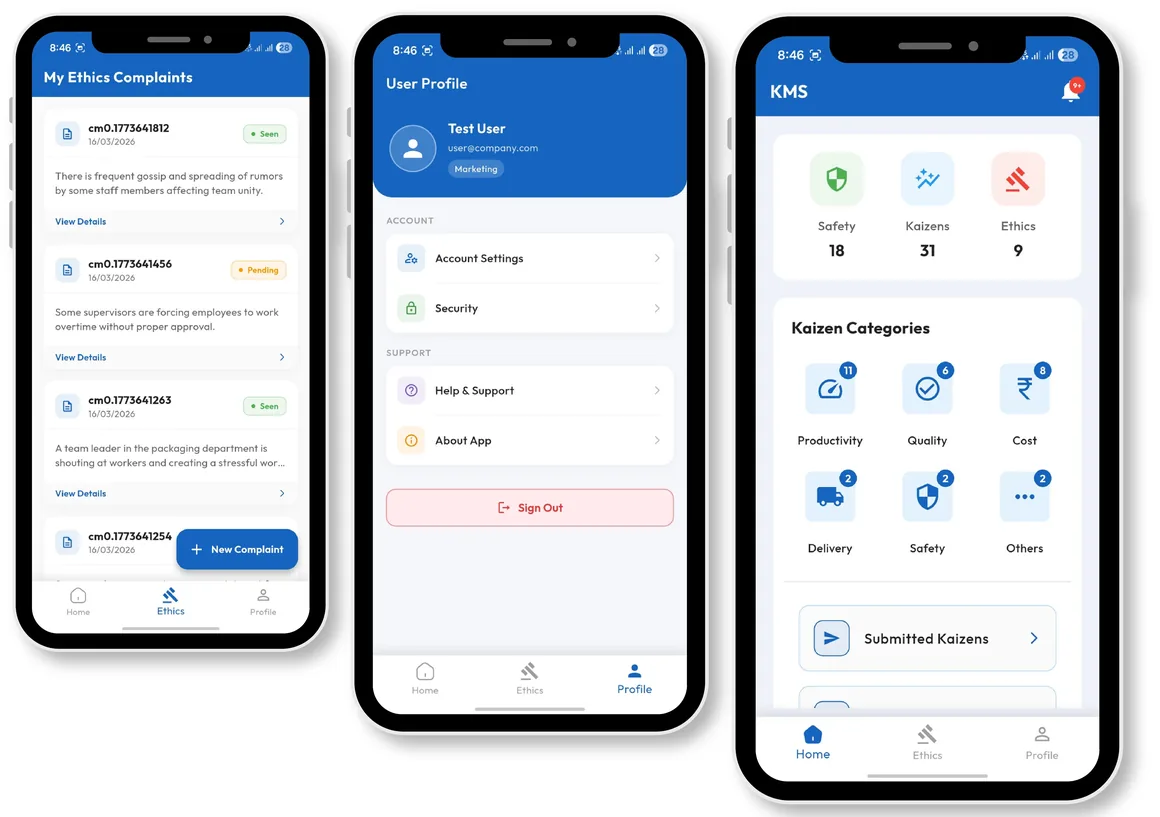
User Login
Any registered employee can log in, submit a new kaizen with descriptions & photos, and track real-time status updates.
- Register and submit kaizens directly from mobile or web
- Attach before and after evidence photos
- Receive push notifications upon decision updates
- Access personal kaizen submission history
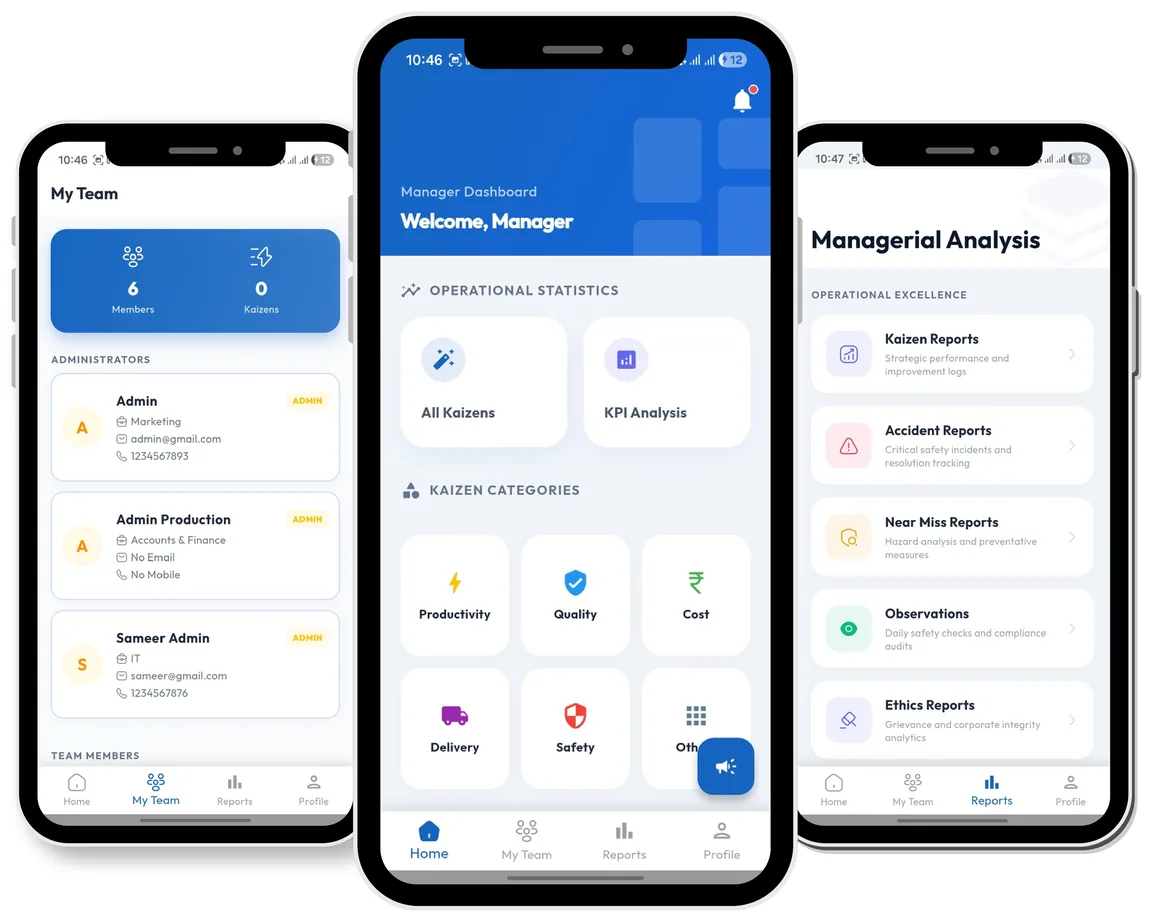
Manager Login
Department managers monitor progress, review team submissions, and track operational improvement targets.
- Overview of team submissions & department KPIs
- Validate and forward kaizen proposals
- Monitor implementation progress across shifts
- Export department-specific progress logs
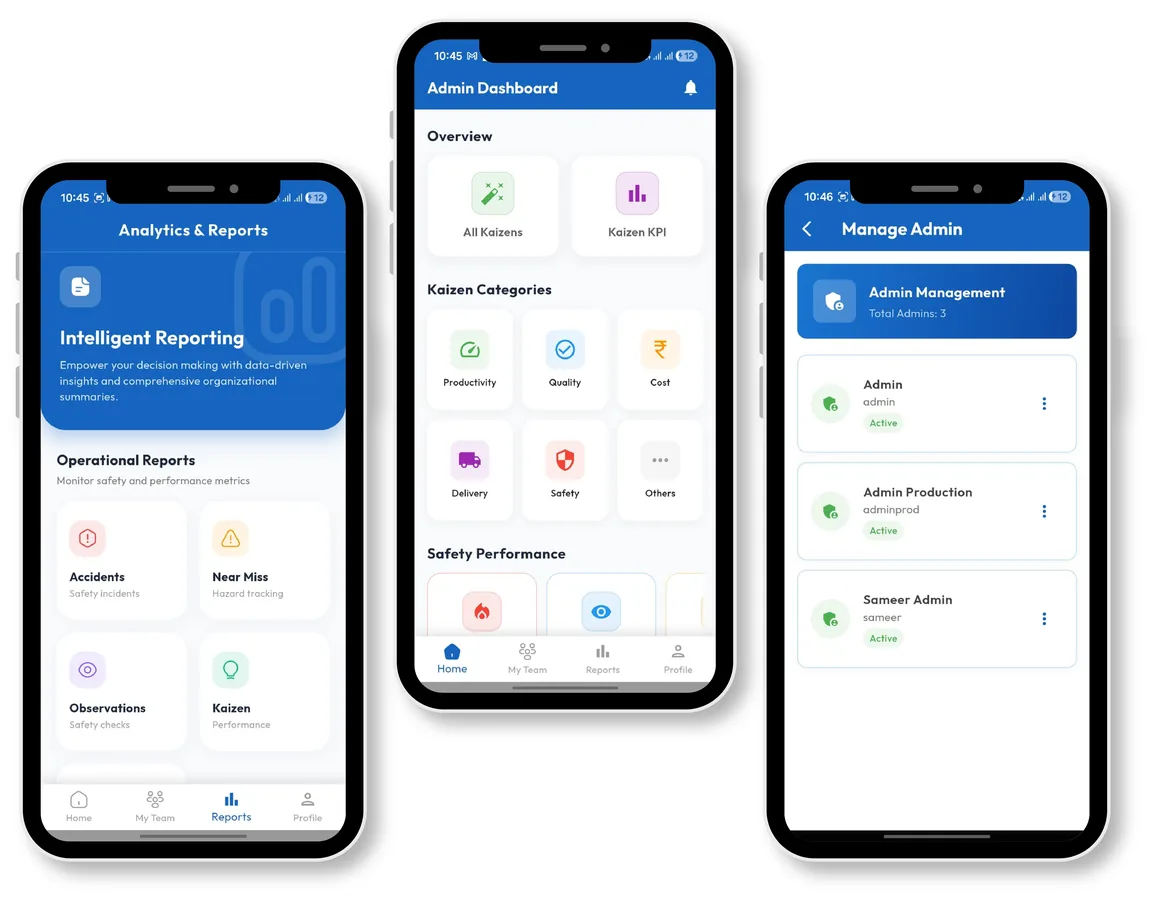
Admin Login
Admins see every kaizen submitted across their scope, approve or reject with reasons, and generate auditable reports.
- Full review queue of submitted kaizens
- 1-Click approval or rejection with notes
- Plant-wide KPI analytics & charts
- Export auditable PDF & Excel reports
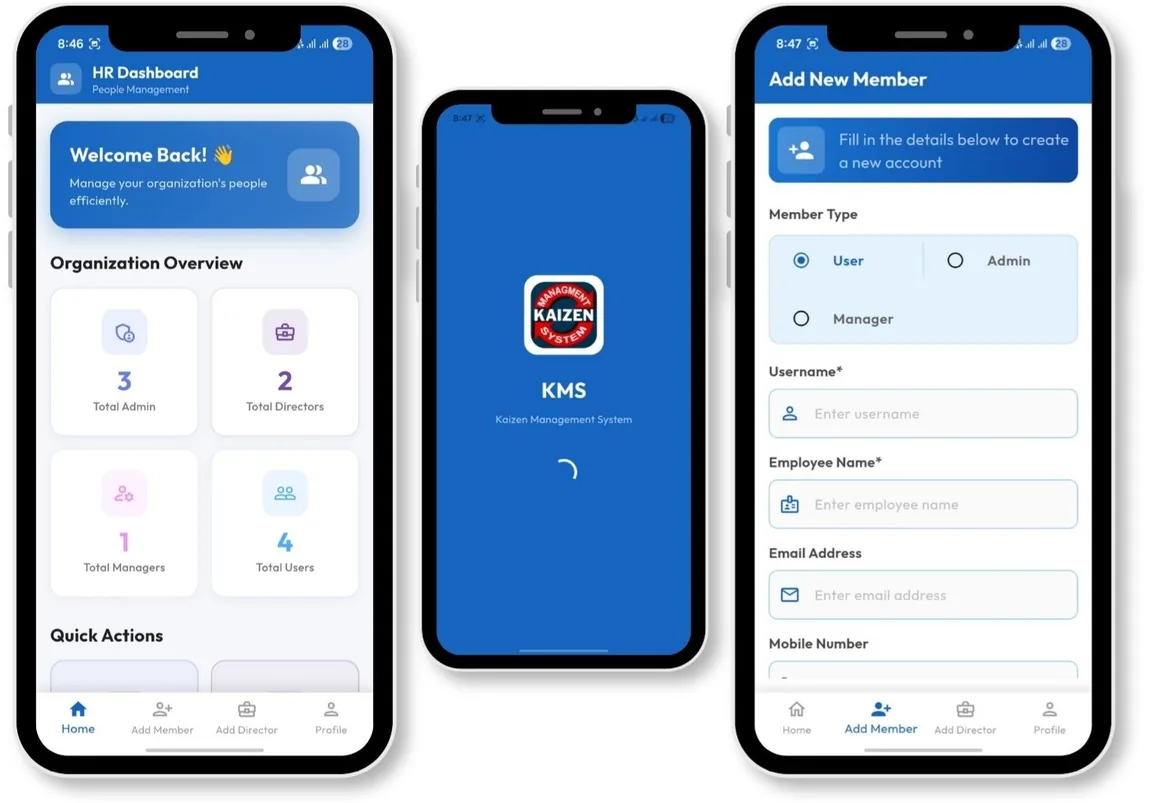
HR Login
HR manages system access — creating, editing, and deactivating accounts for users, managers, and admins.
- Provision new user and admin credentials
- Manage permissions as roles change
- Deactivate accounts upon employee exit
- Maintain synchronized user registries across plants
Charts & reports
Built-in visualisation, ready to export
Every chart on screen is backed by a report you can hand to an auditor.
Kaizen pie chart
See the split of total kaizens by status at a glance.
Kaizen column chart
Compare status distribution across teams for quick readability.
Kaizen report
Generate an auditable report of all submitted kaizens, filtered by any parameter.